
I. Completion Guide
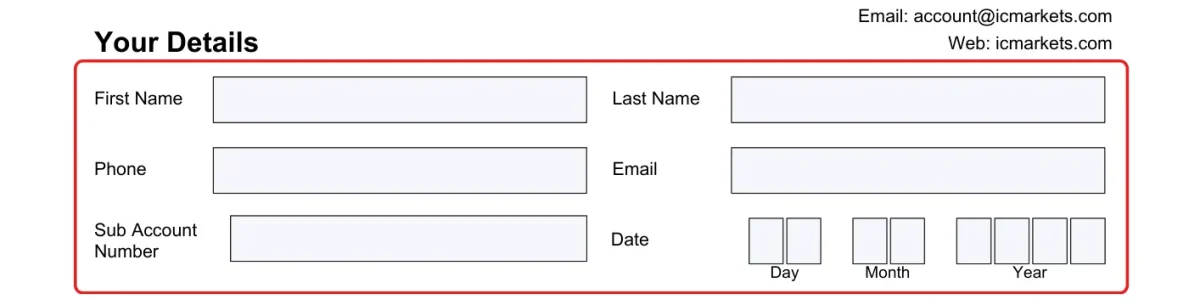
This form is mainly divided into the following sections. Please fill it out entirely in English:1. Your Details
- First/Last Name: Your name in English, must match your ID used for account opening.
- Email/Phone: Your registered email and contact phone number.
- Sub Account Number: Fill in the MAM sub-account number you wish to withdraw funds from.
- Date: Fill in the application date.
2. Your Money Managers Details
- First/Last Name: Money Manager's name (Pre-filled).
- Company/MAM Name: Strategy name, e.g., Alpha Gold.

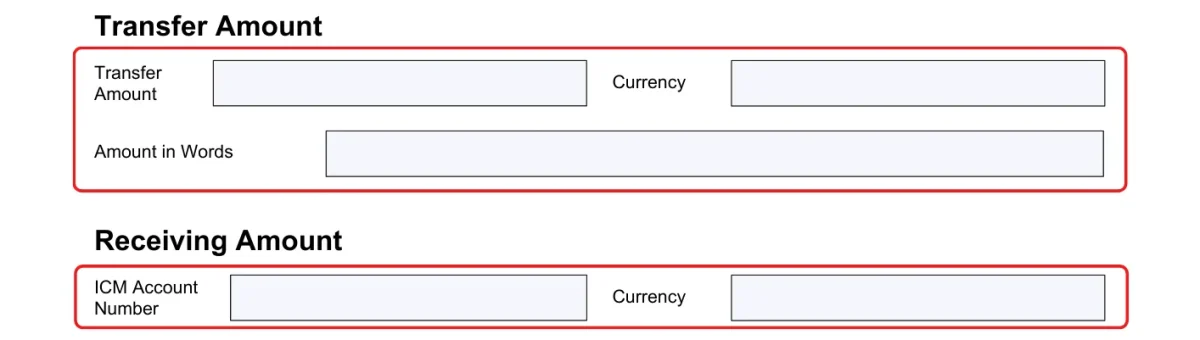
3. Transfer Amount
- Transfer Amount: The numerical amount you wish to transfer.
- Amount in Words: The amount in capital letters, e.g., One Thousand.
- Receiving ICM Account: The personal trading account number to receive these funds.
- Currency: Currency type, default is USD.
4. Checkboxes
- Does your account currently have open trades?: Check this if the account has open positions; the system will close positions proportionally during transfer.
- Are you transferring your balance?: Check this if you intend to transfer the entire balance of the sub-account.

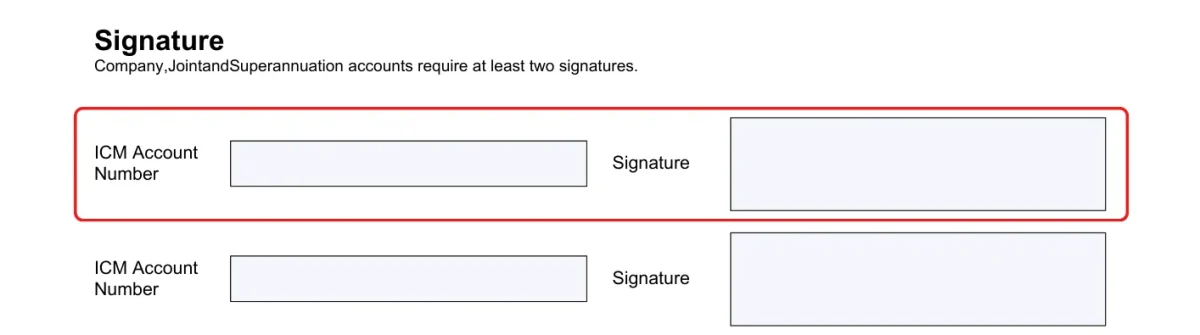
II. Signature and Submission
- Signature: Please sign by hand or electronically in the signature area; it must match the signature provided during account opening.
- Send Email: Photo or scan the completed form and send it as an attachment to IC Markets (accounts@icmarkets.com).
- CC: Also send a copy to Mr.Forex (support@mister.forex) for quick receipt confirmation.
III. Important Notes
- Confirmation Process: After receiving your application, IC Markets will only execute the transfer once the Money Manager confirms receipt of this request.
- Position Handling: Since MAM uses proportional trading, withdrawing funds usually requires closing some positions, which will result in corresponding profit or loss settlements.




 繁體中文
繁體中文  العربية
  বাংলা
বাংলা  简体中文
简体中文  香港中文
香港中文  Čeština
  Dansk
Dansk  Nederlands
  English
  Français
  Deutsch
  Ελληνικά
  हिन्दी
  Magyar
  Bahasa Indonesia
  Italiano
  日本語
日本語  한국어
한국어  Bahasa Melayu
  Norsk bokmål
  Polski
  Português do Brasil
  Português
  Română
  Русский
  Español de Argentina
  Español de México
  Español
  Svenska
  ไทย
ไทย  Türkçe
  Українська
  اردو
اردو  Tiếng Việt