TMGM MAM Activation Process
Open and authorize your account to auto-sync strategies.
🤝 Create Account
To ensure you can join the strategy and receive technical support, your account must be under the Mr.Forex IB/Agent.
IB Referral Code: IB138161618A
⚠️ Already have an account?
Due to TMGM's official policy of not accepting agent (IB) changes, if you already have an account, please prepare a brand-new email address and click the link above to register a new account.
🔗 Account Binding and Authorization
TMGM's MAM is "invitation-only," please follow the process below:
1️⃣ Provide Information: After completing registration, please send your "Registration Email", "English Name (Pinyin)", and the "Signal Name you wish to join" to Mr.Forex Customer Service.
2️⃣ Send Invitation: Our team will send the MAM link invitation to you via the backend.
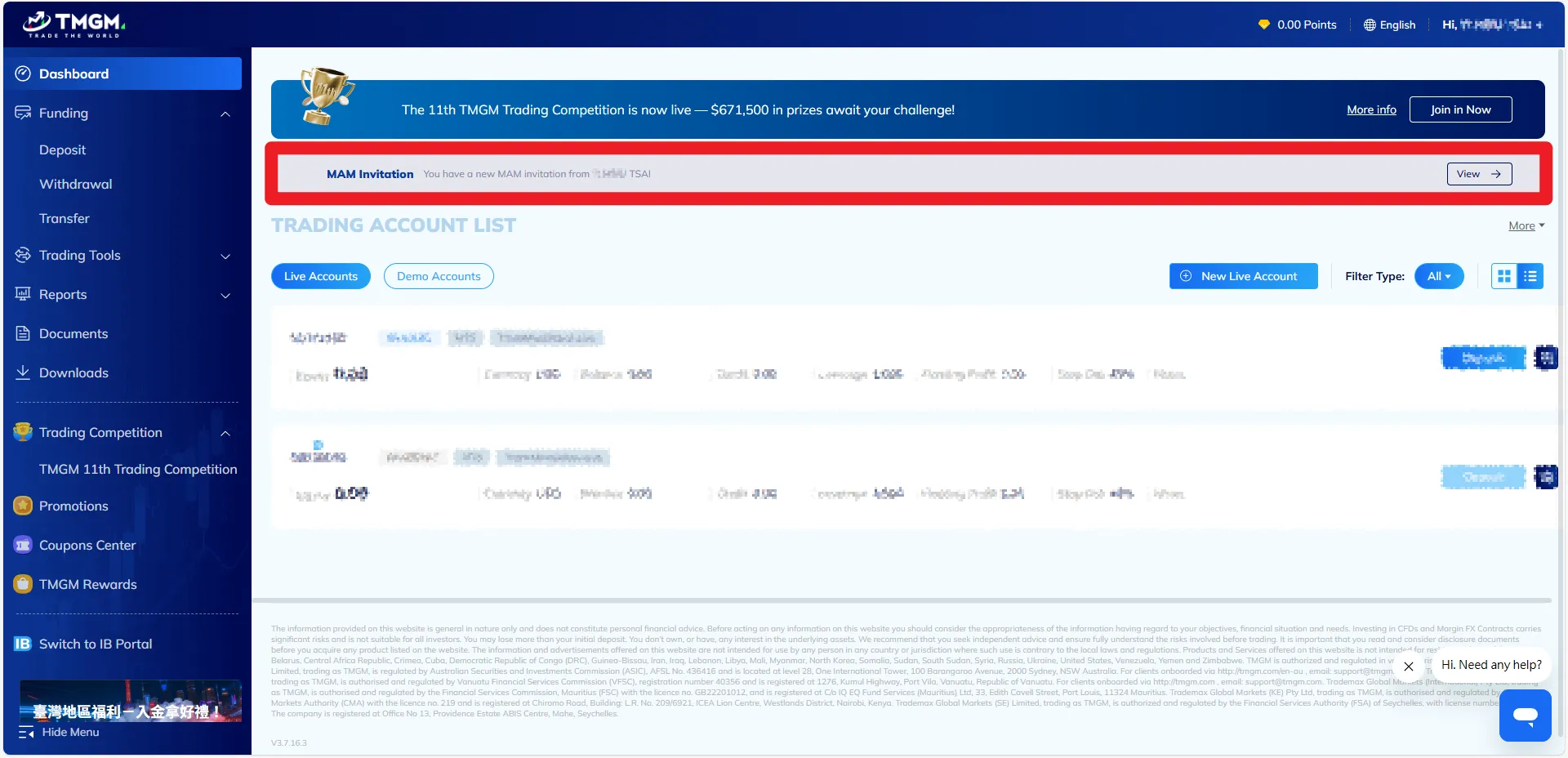
3️⃣ Login and Accept: Once we notify you that the invitation has been sent, please log in to the TMGM client portal.
4️⃣ Sign LPOA: Click "Accept Invitation" in the portal, read the details carefully, and complete the LPOA (Limited Power of Attorney) electronic signature online.
* This authorization only allows us to "execute trades"; we have no authority to perform any withdrawal operations.
5️⃣ Deposit and Activation: After signing is complete, please "Deposit" or perform an "Internal Transfer" of funds to the MAM sub-account. The strategy will then automatically activate.
🔍 Monitoring and Fund Management
📈 View Real-time Performance
You can log in to your MAM sub-account anytime to view performance; the process is completely transparent, protecting your rights.
🛑 How to stop the service?
The funds remain entirely in your name. If you wish to stop following the strategy, simply transfer the funds from your "MAM sub-account" to another "trading account" or "withdraw directly" via the client area, and the link will be automatically disconnected.
📊 Performance Fee and Settlement Mechanism
We use the High-Water Mark model to calculate performance fees. We only collect a profit share when your account profit reaches a new high.
⚙️ Automatic Deduction
No manual transfer is required. The system will automatically settle last month's performance and deduct fees directly from your account balance.
🛡️ Protection of Funds
If there is no profit or a loss occurs that month, the system will not deduct any fees until your account recovers the losses and reaches a new high.
Frequently Asked Questions
How to Join?
- Preparation: Register with a compliant broker.
- Activation: Deposit and authorize.
- Auto-run: Strategy starts automated trading.
Is my capital safe?
We only hold "execution rights." Funds are kept in your personal broker account; only you can withdraw.
How to track performance?
- Electronic Statements: Trade details sent to your email.
- Mobile App: Check profit and loss via mobile.
- MT4/MT5: Professional interface for real-time tracking.
How is it billed?
No upfront fees. We only take a service fee from actual profits. No profit, no fee.
Can I stop anytime? Is there a lock-up period?
No lock-up period. You can withdraw authorization and manage your assets at any time.
What is "Copy Trading"?
- How it Works: Strategy signals are transmitted to your account in real-time via the broker's designated social trading platform.
- Key Features: Intuitive, user-friendly, fast startup. It offers a friendly interface for "one-click following." Regardless of experience, you can easily participate and monitor your investments in real-time.
The current minimum deposit is a bit high. Are there lower-threshold options?
What is "Fund Management (MAM / PAMM)"?
- How it Works: Your account synchronizes buy/sell signals directly on the broker's server side.
- Key Features: High speed, stability, zero configuration. Direct server-side data exchange ensures top-tier execution precision and slippage control. This is the premier choice for long-term investors seeking ultimate stability.
- Need help? Chat with us now.
- +886-975-033-230